
A contractor's service page should help a prospective customer decide whether the business can handle their project and what to do next. It needs more substance than a service name and a contact button, but it does not need every fact the company knows about the trade.
The useful work is choosing what belongs on the page: the scope you actually offer, the situations you handle, the questions customers ask before an estimate and the evidence that makes your explanation credible.
This guide walks through that editorial process. It focuses on the content and structure of individual contractor service pages, rather than a complete website redesign. You will leave with a page brief, an evidence worksheet and a review method that can be used across several services without producing interchangeable copy.
Give each page one clear job
Start by finishing this sentence: “This page helps this customer understand this service and take this next step.”
If the sentence contains several unrelated customer types or services, the page may be trying to do too much. A residential bathroom renovation and a commercial tenant improvement can share some construction activities while requiring very different buying information.
The page's job should reflect how customers make decisions. A homeowner deciding whether to repair or replace a deck needs a different explanation from a property manager seeking routine maintenance across several buildings.
Write the page's purpose before choosing keywords. Search language can help describe the topic, but it should not determine an offer the business does not actually provide.
Also identify what the page will not do. It may introduce the estimating process without issuing a price. It may explain available work without teaching a homeowner how to perform it. It may help a customer recognize a possible need without diagnosing a property remotely.
These boundaries keep the content useful and the promises accurate. They also prevent the page from becoming a long general-interest article that distracts from the service.
Decide which services deserve separate pages
Not every line in a capabilities list requires its own URL. Create a separate page when the service has a distinct customer need, scope, process or body of evidence.
A useful test is whether you can write meaningfully different answers to these questions:
- Who requests this service?
- What problem are they trying to solve?
- What work is normally included?
- What affects the estimate?
- What proof is relevant?
- What happens first?
If the answers are nearly identical for two proposed pages, a combined page may be clearer. Use sections to explain variations instead of multiplying thin content.
On the other hand, a broad “remodeling” page may not sufficiently answer questions about kitchens, bathrooms and additions. Each can involve different planning concerns and examples.
Do not choose page count as an SEO target. The right structure depends on the services and the information available. A smaller set of complete pages can be easier to maintain than a large collection of underdeveloped ones.
Document the decision in a simple map. The homepage introduces the business, a service overview helps visitors choose, individual service pages explain specific offers and project pages supply evidence. Blog articles can answer related questions that are too broad or detailed for the service page.
Gather information from the people doing the work
The most useful service-page material often lives in estimating conversations, project notes and the experience of the team.
Interview the owner, estimator or service lead. Ask what they repeatedly explain to customers. Which requests turn out to be outside scope? Which assumptions cause confusion? What information helps them prepare for a visit?
Ask for examples of decisions, not only general statements. “We communicate well” is a claim. “We agree on who approves changes before work begins” describes a process, if that is how the business operates.
Look for details that distinguish the actual service. The business might specialize in a particular project type, offer a documented planning stage or have a specific way of protecting occupied areas. Include those facts only after the responsible person confirms them.
Keep an evidence log. Record the claim, the source, the person who can approve it and any limitation. A claim about a manufacturer's warranty needs different support from a statement about your own scheduling process.
Do not turn one employee's informal preference into a company-wide promise. If the process varies, explain the conditions or resolve the policy before publishing.
When first-hand input is unavailable, write a draft with clearly marked questions. Do not fill gaps with invented years of experience, project counts or guarantees.
Build a content brief before drafting

A one-page brief can prevent several rounds of avoidable rewriting. It gives the writer and business owner a common definition of the page.
Include the intended reader, service scope, geographic coverage, primary question and next action. List the evidence available and the information still missing.
Then define the search topic. Choose a primary phrase that accurately names the service and a small group of related expressions that customers use. These phrases are writing guidance, not a repetition quota.
A practical brief looks like this:
| Brief field | Decision to record |
|---|---|
| Reader | Who is considering this service? |
| Need | What are they trying to accomplish? |
| Service scope | What does the business actually provide? |
| Exclusions | What could a customer mistakenly assume is included? |
| Coverage | Where is this service available? |
| Evidence | Which approved projects, credentials or process details support the page? |
| Estimate factors | What must be understood before pricing? |
| First step | What happens after contact? |
| Search language | Which phrases accurately describe the offer? |
| Review owner | Who confirms technical and commercial accuracy? |
Keep the brief specific to the service. If it could be copied unchanged across every page, it is not yet doing enough work.
Write the opening around the customer's decision
The first section should identify the service, the relevant customer and the next step. Avoid an opening paragraph that could describe any contractor.
A fictional example of weak copy is: “We are passionate about providing exceptional solutions with unmatched quality.” It sounds positive but gives the reader little to evaluate.
A more useful structure is: “We provide [specific service] for [project type] in [actual coverage area]. Our process begins with [real first step], so we can understand [information needed] before recommending the next stage.”
This is a structure, not a claim about any real company. Replace the brackets only with verified information.
Add one meaningful distinction if you can support it. That might be a relevant specialization or a clear process feature. Avoid piling several unsupported benefits into the headline.
Keep the primary action visible, but do not make it the only useful content. A customer who needs more information should have a natural reason to keep reading.
Google's title-link guidance recommends descriptive, concise title text and warns against repetitive or inaccurate titles. The visible page heading and the search title should both describe the actual service clearly. Google Search Central: title links
Explain scope with useful boundaries
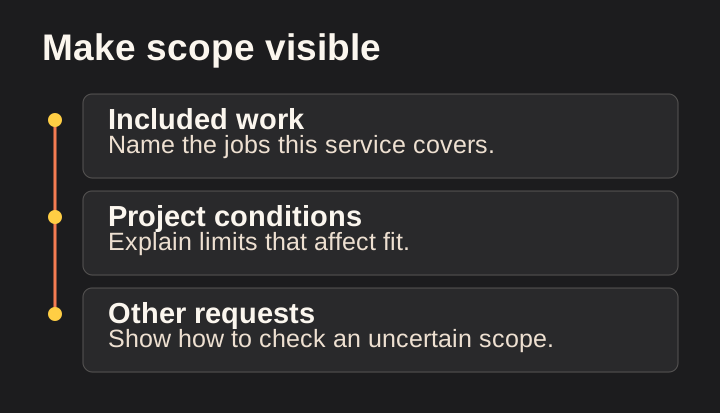
Scope is where many service pages become vague. “Complete solutions” can mean very different things to the contractor and the customer.
Describe the main categories of work and the conditions that affect inclusion. For a renovation, that might mean distinguishing cosmetic updates from changes to layout or building systems. For exterior work, it might mean distinguishing maintenance, repair and replacement.
Do not provide technical guidance beyond the expertise and purpose of the page. Explain how your team evaluates the issue rather than telling readers to perform potentially unsafe work themselves.
Use exclusions where they prevent a likely misunderstanding. An exclusion does not have to sound defensive. “We assess structural changes separately during planning” may be more helpful than leaving the reader to assume every requested change is included.
Be careful with subcontracted work. Clarify the company's role accurately rather than implying every activity is performed by direct employees.
Explain uncertainty. Hidden conditions, access and existing installations may affect the final scope. A service page can prepare customers for that discussion without presenting a speculative price.
The test is whether the reader has a better idea of what they are asking for and what still needs professional assessment.
Help customers recognize project fit
A useful service page can explain when the offer is a likely fit and when a different path may be needed.
Describe situations, not personal stereotypes. A project might involve a worn surface, a changing use of space or a need to coordinate work around occupancy. Those are relevant conditions.
Avoid making remote diagnoses. A photograph or short description may support an initial conversation, but it cannot necessarily establish the cause or full extent of a problem.
Use language such as “A site assessment may be needed to understand…” when that reflects the actual process. Do not manufacture urgency to push a request.
For complex work, explain the stage at which the customer can approach you. Do they need drawings already? Can the company help define the brief? Is a designer or engineer required before pricing? State what is true for your service.
If you have a minimum project scope or other meaningful qualification, communicate it respectfully and accurately. The purpose is to help both sides avoid a poor fit, not to discourage questions.
Include a route for uncertainty. A customer should be able to ask whether their project fits without pretending to know technical details.
Describe the process as it really happens
A process section should reduce uncertainty about working with the company. It should not describe an idealized version that the team cannot consistently deliver.
Use a small number of clear stages. For example: initial inquiry, fit conversation, site assessment, proposal and scheduling. The actual sequence may include design, permits or procurement, depending on the service.
For each stage, explain the purpose and what the customer needs to do. Avoid promising a fixed timeline unless the business can support it and the relevant conditions are stated.
Distinguish a request from a confirmation. Submitting a form may begin the process without guaranteeing an appointment or accepting the project.
Describe who communicates with the customer when that information is stable. If roles vary, use the role rather than an individual's name.
A good process section also explains handoffs. If an estimator prepares the proposal and a project manager takes over later, tell the customer when that transition happens.
Review this section with operations. A process description can become an unintended commitment. If the website says every customer receives a written update at a particular interval, someone must own that practice.
Explain what affects an estimate
Customers often want a price before the business has enough information to provide one. A service page can make that uncertainty understandable.
List the major variables relevant to the actual service. These might include project dimensions, material choices, existing conditions, access, disposal, required coordination and the scope of related work.
Explain why the variables matter in plain language. “Access affects how materials and equipment reach the work area” is more useful than “Pricing depends on complexity.”
Do not publish invented price ranges to make the page feel complete. If the business has reliable, approved ranges, state what they include, what they exclude and when they were reviewed.
Avoid suggesting that a preliminary range is a binding quote. The page should explain the stage at which a written estimate or proposal is produced and what information is needed.
If estimates or consultations involve a fee, describe the real policy clearly before the customer commits. Do not assume “free estimate” is standard for every service.
A useful closing sentence might invite the customer to share the location, scope and timing so the team can recommend the appropriate assessment. It should not promise a final number from incomplete information.
Select proof that matches the service
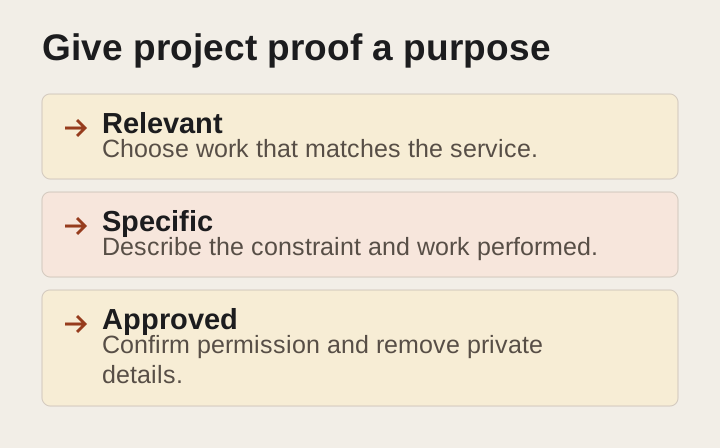
Evidence is more persuasive when it is directly relevant. A kitchen renovation page should not rely entirely on exterior painting photos simply because those images are available.
Choose approved projects that demonstrate the kind of work the page describes. Explain the scope and the company's role. Use a caption to identify what the image shows.
If there are several service variations, select examples that help the reader understand the differences. Do not overload the page with a large gallery that adds little information.
Use testimonials in context. A statement about responsiveness may support the communication process, while a statement about a specific completed project may support that service. Do not stretch a broad compliment into a technical claim.
Keep credentials accurate and current. Verify the rules for displaying licenses, certifications and related advertising claims in your jurisdiction. A decorative badge should never replace verification.
When proof is limited, be transparent. Explain the process and relevant capability without fabricating a portfolio. An illustrative diagram can support understanding, but it should be labeled and should not masquerade as completed client work.
Use images to explain, not only decorate
Every image should have a reason to be on the page. It can show a finished result, clarify a process, explain a detail or introduce the actual team.
Select the image after deciding what the section needs to communicate. Starting with a generic stock photo often leads to copy that is equally generic.
For project images, record who owns the file and whether the customer has approved the intended use. Check for faces, addresses, license plates and other details that may require care.
Write captions that add context rather than repeat the obvious. A caption can explain which part of the work is shown or why the detail matters.
Provide appropriate alternative text. Google's image guidance recommends useful, contextual descriptions and cautions against stuffing alt text with keywords. Google Search Central: image guidance
Do not embed essential pricing, contact details or service descriptions only in an image. Keep important information available as readable page text.
Optimize the file for its display size and check the mobile layout. A beautiful image that delays the main content or crops away the relevant detail is not doing its job.
Answer objections with factual information
Customers may hesitate because they do not understand the process, worry about disruption or are unsure whether their project is suitable. A service page can address these concerns without becoming a hard-sell script.
Collect real questions from the office and estimator. Group them by decision: scope, timing, access, preparation, payment process and what happens after the estimate.
Answer only what the business can support. If the schedule depends on materials and current workload, say so. If a question requires a site-specific assessment, explain why.
Avoid invented objections designed to make the company look superior. A claim that competitors always hide charges or use poor materials is unnecessary and may be unfair.
Use concise answers with links to deeper explanations when needed. The service page should remain focused. A long educational discussion may belong in a separate article.
Keep frequently asked questions visible and useful regardless of whether they receive any special search treatment. The reason to include them is to help the reader make a decision.
Review questions periodically. If the office keeps receiving a new type of confusion, the page may need an update. If an answer no longer reflects the process, remove or revise it.
Connect the page to the rest of the website
A service page should be part of a clear structure, not an isolated destination.
Link to relevant project examples, the coverage explanation and useful supporting articles. Link back from those pages when it helps the reader continue the same decision.
Use descriptive link text. “View our bathroom renovation projects” tells the reader more than several identical “Learn more” links.
Google's link guidance explains that crawlable links help it discover pages and that anchor text should be descriptive, reasonably concise and relevant to both the current page and destination. Google Search Central: link best practices
Do not add links simply to hit a target count. Each link should have a plausible reason for a visitor to use it.
Check the destination before publishing. A future article or unfinished service page should not be linked as though it is live. Keep editorial placeholders out of the public page.
Use a simple, descriptive URL structure. Google recommends readable, logical URLs that help people and search systems understand the site. Changing an existing URL requires additional care so useful links and access are not broken. Google Search Central: URL structure
Keep keywords natural and specific
Keyword research should help you understand the language and intent around the service. It should not turn the page into a repeated list of phrases.
Begin with the service name customers recognize. Review current search results to see whether the phrase mostly produces service providers, educational articles, products or something else. That helps determine whether the planned page matches the likely intent.
Use related terms where they clarify scope. A term that names a material, project type or process may belong naturally in the relevant section.
Do not add every nearby city to every paragraph. Explain coverage in the appropriate section and create distinct location content only when it is useful and accurate.
Avoid assuming that two similar phrases require two pages. If both refer to the same service and decision, one strong page may be the clearer answer.
Keep search-volume and difficulty data separate from editorial judgment. If you do not have reliable measurements, say that the phrases are qualitative candidates. A plausible phrase is not proof of demand.
Google's Search Essentials recommends using words people would search for in prominent, descriptive locations. That supports clarity, not unnatural repetition. Google Search Essentials
Review the draft in three separate passes
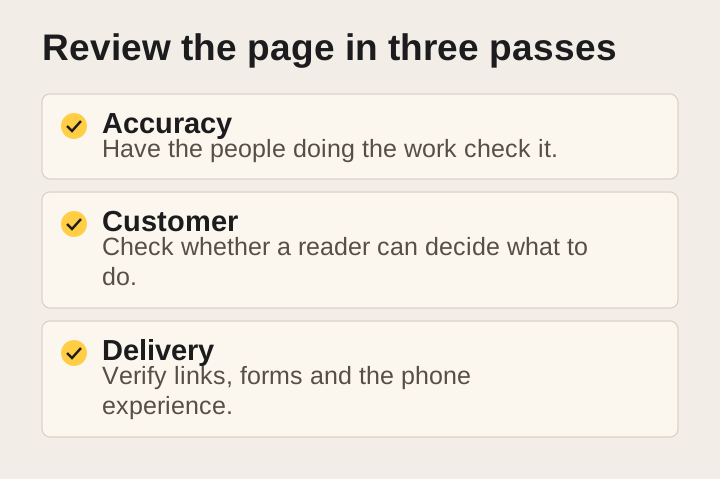
Trying to check everything at once can let important errors slip through. Use three passes with different questions.
The first is business accuracy. Does the page describe services, coverage, process and conditions correctly? Are claims supported? Has someone with operational responsibility approved the wording?
The second is customer usefulness. Can a prospective customer understand fit, uncertainty and the next step? Are technical terms explained? Is any section repetitive or missing an important answer?
The third is publication quality. Are links correct, headings logical, images authorized, alternative text useful and contact paths functional? Does the page work on mobile?
Keep a review log for unresolved issues. “Confirm warranty wording” should have an owner and a source, not remain a vague note indefinitely.
Do not mark a page ready merely because the prose reads well. A polished draft can still contain an unverified commercial promise.
Conversely, do not keep adding text because the page feels short compared with a competitor. Add information when it changes understanding or supports a decision.
Avoid common service-page shortcuts
Several shortcuts create more work later.
Copying the same paragraph across services can erase meaningful differences. Replacing a few nouns may produce technically different text while leaving the reader with the same generic explanation.
Borrowing competitors' claims can introduce promises your business does not make. Competitor research can reveal customer questions, but the answers must come from your own service and evidence.
Adding a long list of towns can make coverage less clear, especially when the business has exceptions. Use a coherent coverage explanation.
Publishing a large gallery without captions can leave the customer unsure what work you performed. Add context and remove images that do not serve the page.
Using a form as the answer to every question can feel evasive. Give the reader enough information to decide whether contacting you is worthwhile.
A good page saves some questions for the conversation because the project is specific. It should not withhold basic service facts simply to force a lead.
Maintain the page after launch
Service pages describe a living business. They need an owner and a reason to be reviewed.
Update the page when the service scope, coverage, process or important commercial condition changes. Review credentials and permissions when relevant.
Use actual customer questions as feedback. If people repeatedly misunderstand what is included, the page may need clearer wording. If requests arrive for a service you no longer provide, inspect search titles, navigation and old pages as well as the current copy.
Track meaningful outcomes where measurement is available. Distinguish visits, contact actions, genuine inquiries and qualified opportunities. A page's usefulness cannot be summarized by traffic alone.
Avoid interpreting a brief fluctuation as proof that the page succeeded or failed. Search visibility, seasonality and traffic sources can change independently of the content.
Keep a dated change log. It helps the business understand what changed and why, especially when several people maintain the site.
A working page outline you can adapt
Use this outline as a starting point, then change it to fit the service:
- Specific service headline and accurate coverage.
- Short explanation of who the service is for.
- Primary next action with a truthful expectation.
- Scope and important boundaries.
- Relevant project evidence.
- Actual process.
- Factors that affect assessment and pricing.
- Useful customer questions.
- Related projects or resources.
- Final next step.
The order can change. A highly visual service may benefit from early project examples. A complex service may need a clearer scope explanation first.
Do not fill every section with the same amount of text. Some questions need a sentence; others need a short table or example. The outline is a decision aid, not a requirement to pad the page.
Frequently asked questions
How long should a contractor service page be?
Long enough to answer the customer's main questions accurately. There is no universal word count that makes a page useful or guarantees rankings. Focus on completeness, clarity and evidence.
Can one template be used for every service?
A shared structure can make the site consistent. The actual scope, questions, proof and process details should be specific to each service. Reusing a layout is different from repeating generic content.
Should pricing be included?
Include approved pricing information when it is meaningful and can be explained accurately. Otherwise, describe the factors that affect an estimate and the process for obtaining one. Do not invent a range.
What if there are no approved project photos?
Use accurate text and clearly labeled explanatory visuals while gathering permission for real evidence. Do not use stock or generated images as if they show completed company projects.
Build a page your estimator would recognize
The strongest service page sounds like a clear, organized version of a useful customer conversation. It explains what the company does, where the uncertainty is and how the next step works.
Start with one important service. Gather real questions, verify the scope and build a page around the decisions customers need to make. Then use that process, rather than copied paragraphs, to improve the rest of the site.
If your service pages could describe almost any contractor, request a website review from Loskutech. Bring the service you most want to explain better and the questions your team answers repeatedly. Those are the raw materials for a more useful page.
Explore our website and customer-experience services for the work and review process behind this approach.