
Business automation. AI with approved sources.
Workflow automation and private AI for small-business operations: document intake, shared-inbox triage, form-to-CRM routing and reporting. Start with one tested workflow or a read-only assistant using an approved document library.
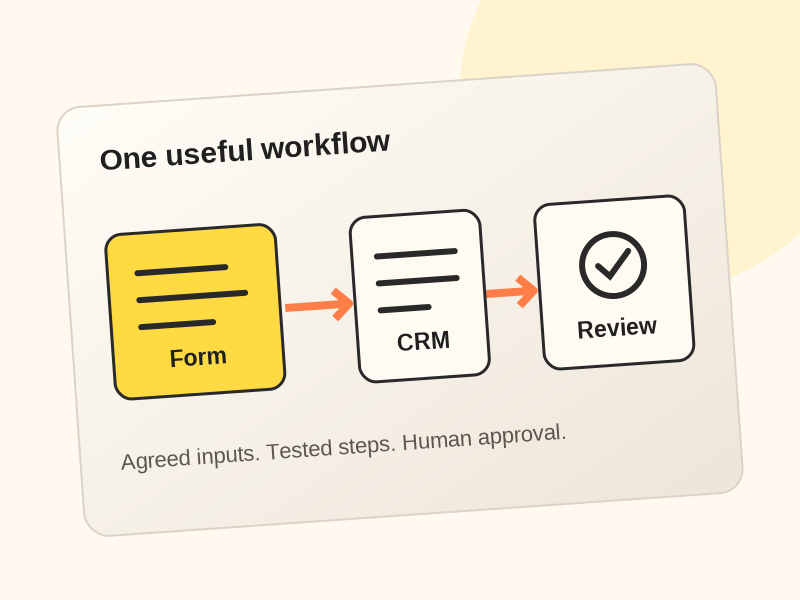
Automate one repeatable office workflow.
The $2,500 Workflow Sprint covers one workflow across up to two existing systems, including testing, failure alerts and handoff. For example, send a website form into your CRM and create a follow-up reminder inside that same CRM: two systems, one workflow. Extra tools or workflows need a separate scope.
Document intake & extraction
Extract agreed fields from incoming documents, flag missing or uncertain information and route exceptions for human review.
Shared-inbox & form routing
Triage an approved shared inbox or route a form into a CRM. Define categories, ownership and follow-up reminders before connecting systems.
Reporting & approval-based agents
Prepare a recurring report or draft a proposed action. An authorized person reviews and approves consequential changes or outbound messages before they happen.
Private AI that points to its sources.
Private AI Pilot from $5,000: one team, one approved document library and one read-only assistant on suitable client-controlled equipment. Answers link to their sources. When the approved sources do not contain an answer, the assistant should say so instead of inventing one.
We review the library, permissions, supported file types, equipment and test questions first. The pilot is a bounded evaluation; hardware, licenses and production expansion are separate. No blanket guarantee of readiness, privacy, answer accuracy or compliance is implied.
Private / on-prem
Run the agreed model and approved document library on suitable equipment controlled by your business. Confirm the actual data paths, access, updates and any external dependencies in the scope.
Hybrid
Connect approved local systems to explicitly agreed external services. Define what data leaves your environment, where it goes and which provider controls apply before enabling a connection.
Workflow care and suitable server setup.
Optional care from $350/mo covers monitoring for one built workflow and up to one hour of fixes or minor adjustments per month. Usage charges, new workflows and production expansion are separate. Changes beyond the allowance require an approved scope.
Server sizing, setup and maintenance can be scoped around the workload, storage, access, update and backup needs. Equipment suitability is assessed before a build; there is no assumed hardware bundle or critical-response coverage.
Agree the task. Check the work.
Tell us what is blocked
Share your location, affected users and devices, and the task you need to complete. Keep passwords and private customer information out of the inquiry.
Review the scope
We confirm access, the work window, completion checks and a quote. Hardware, licenses, travel and provider charges are identified separately.
Make approved changes
Your office contact approves access and changes. We check the agreed tasks and record any remaining equipment, software or provider issue.
Hand it back clearly
You receive a summary of changes and next steps. Additional work and ongoing support require their own agreed scope.
Questions before we start.
Will an agent send emails or change records on its own?
Consequential changes and outbound messages require approved human review before execution. We define authorized users, permissions, review points and failure behavior in the scope.
Does private AI mean everything stays on-site?
Only the agreed private/on-prem design can establish that data path. A hybrid design uses approved external services. We document dependencies and data movement rather than making a blanket privacy or compliance claim.
What happens when a source has no answer?
The read-only pilot uses an approved library, includes source links and should decline to answer when those sources do not support the question. We test this behavior with agreed examples and record limitations.
Connected office support.
What does your office need next?
Start with a scheduled task and a scope you can review.
Let’s talk about your business